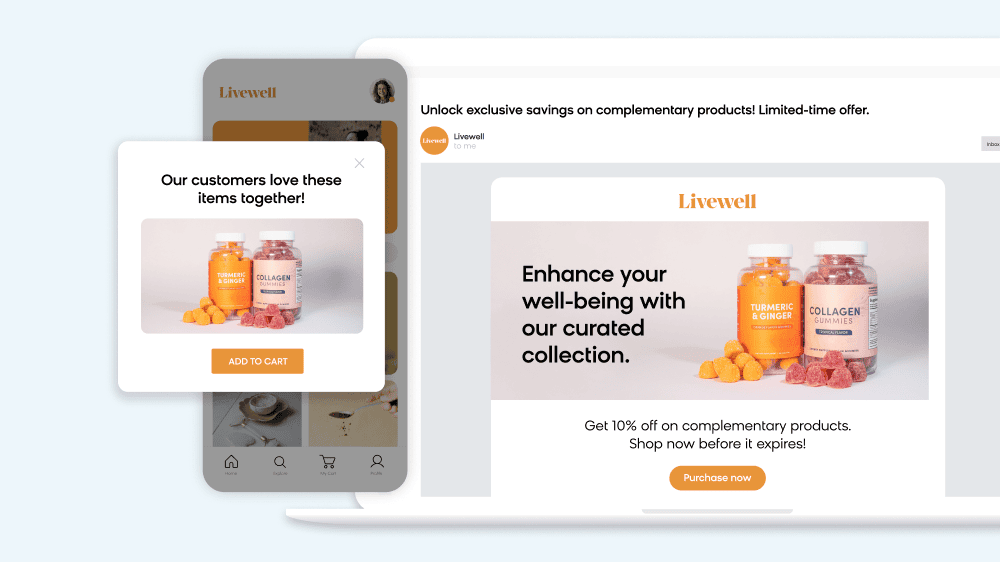

When a visitor uses the search bar on your site, they have stopped browsing and started asking. They arrive with a specific thing in mind, and the only question left is whether you can put it in front of them.
Internal site search is the function that lets visitors find products, content, or information within a single website by entering keywords or phrases. Site search functionality is extremely important to customer journeys because it gets searchers to where they want to go — when they need to get there.
In this comprehensive guide, we’ll define site search, the benefits of optimizing your site search, and what to look for when choosing a site search platform for your business. We’ll also look at site search best practices, what your internal search data is telling you, and examples of winning ecommerce site search and merchandising experiences from best-in-class brands in this space.
Here’s everything you need to know about site search.
- Site search allows users to quickly find products, content, or information within a website by entering relevant keywords or phrases. It can improve the user experience and boost conversions — visitors who use site search are 3x more likely to convert than casual browsers.
- Site search best practices include delivering relevant results, having good UX/UI, making discovery easy, personalizing the results, and investing in automated SEO.
- Chasing a zero null rate harms your search experience, because forcing a result for every query dilutes relevance on the queries that were already working. The better question is which kind of empty each failed query was, and whether the queries that succeed are earning pages of their own.
- When choosing a site search platform, businesses should consider AI capabilities, scalability, headless functionality, reliability, and reputation.
What Is Site Search?
Site search refers to a website function that allows users to find products, content, or information on that site with speed and relevance. It enables users to find what they’re looking for quickly by entering keywords or phrases (aka search terms) within a site search bar.
More than a simple search bar in the top corner of a website, however, site search is a powerful tool to enhance user experiences, increase engagement, and drive conversions by helping visitors find the information or products they desire. Ultimately, site search is about findability — a crucial aspect of online or offline buying experiences. If site search is left untapped, brands miss out on the potential to improve user experiences and boost conversions.
Internal Site Search vs. External Search
Internal and external site search produce different data and answer to different owners. External search is what Google, Bing, or an AI assistant does across the open web to bring someone to your site. Internal site search is what happens after they arrive: a search confined to your catalog, your content, and your inventory.
That confinement is the advantage. External search tells you which queries brought people to your door, filtered through whatever the search engine chose to rank. Internal search tells you what those same people asked for once they were inside, in their own words, with nothing in between.
Read this next: Everything You Need To Know About Ecommerce Search Bars

The Importance of Site Search
Before diving into explaining how to optimize your site search and choosing a site search solution to help you do it, it’s worth examining why site search is important to begin with.
Site search might only account for a small percentage of usage, which leads to companies sometimes downplaying its importance and choosing to invest their optimization efforts in another part of the site experience. What they forget is that visitors who search are 3x more likely to convert than casual browsers. This is because visitors who use the search function are on a mission to find something, which means they have a much higher purchase intent. A small share of your traffic, in other words, arrives already knowing what it wants to buy.
As we’ll outline in this section, there are several reasons why businesses should consider investing in a dedicated site search solution and making it an ecommerce priority.
Read this next: Tech Consolidation vs. Ecommerce Site Search Solutions — 3 Risks To Consider

User Experience
Users expect search to deliver the results they’re looking for, so with a great site search engine in place, you can provide exceptional user experiences. Consequently, this will lead to higher engagement rates, retention rates, and conversions.
When a website expands, it can become increasingly difficult for your site to keep up with what users search for. In this sense, growing pains can actually harm your user experience (UX). But with the right site search, visitors can navigate a site easily, find what they’re looking for, and get recommendations for other products or content as they continue their journey.
Visitor Analytics
One of the primary benefits of site search is the insights it provides through visitor analytics. User intent data is valuable because it allows you to understand what a website visitor truly wants in their own words. Site search data can help businesses identify which products or services are in high demand, what information visitors are looking for, and what pages are frequently accessed.
With site search analytics, businesses can refine their site experience by tailoring content to a visitor’s needs and preferences, which can improve visitor satisfaction and loyalty. Intent data can also be used to fill in content gaps and serve visitors with content you haven’t considered showing before. And, it allows you to really understand your visitors and optimize results for relevancy.
Reduced Customer Support Needs
A reliable website search feature can decrease the need for customer support by allowing users to find the information they need quickly and easily. With an effective search function, visitors can locate the exact information they need without having to navigate through multiple pages or contact customer support.

By reducing the reliance on customer support, a robust site search experience can improve efficiency and save businesses both time and money. The time saved for employees can be reinvested in other important tasks, which in the case of customer service, would be supporting more complex queries and improving overall customer satisfaction. In addition, businesses can reduce the costs associated with customer support, such as staffing and training expenses.
Customer Acquisition and SEO
Another significant benefit of excellent site search is its impact on customer acquisition and SEO. By providing visitors with an intuitive search experience, businesses can increase the likelihood that visitors will stay on their site and complete a purchase. Google does not reward a good search box directly, but it does respond to what one produces: visitors who find what they came for stay longer, view more pages, and return to the results less often, and those engagement signals feed into how your pages perform.
When you discover highly-searched words on your site, you have an opportunity to strategize on how to address the user intent behind those words. From an ecommerce perspective, if you can implement automated SEO, you can boost your ranking by automatically targeting the most profitable keywords. This kind of solution indexes the web to understand what customers are looking for and all the ways that they’re searching for your products. Empowered by these insights, you can optimize your site for long-tail queries.

How Does Site Search Work?
When it comes to online shopping, site search is an essential tool for visitors to easily find the products or information they’re looking for. But simple keyword matching is no longer enough to deliver personalized and relevant results. That’s where semantic search comes in.
Semantic search is a search engine that understands how people speak, which goes beyond natural language processing (NLP) and into the ability to parse each word of a search query into its respective attribute and makes sense of ambiguous words. For example, a query like “shirt dress” would be interpreted as “shirt” being the style and “dress” being the product type. Meanwhile, a query like “dress shirt” would be interpreted as “dress” being the style and “shirt” being the product type.

Semantic search engines work by focusing on two main functions of search: retrieval and ranking. Retrieval is the process of finding the set of products in a catalog that matches what the user is searching for, while ranking is the process of ordering the retrieved products in a particular sequence. The best search engines optimize for both retrieval and ranking to determine search intent accurately.
Other search engines in the market today may focus on only one aspect of the search process, such as basic algorithms that impact ranking or retrieval. These solutions typically lack query understanding or built-in intelligence, requiring heavy curation and manual training for things like synonyms, misspellings, and assortment gaps.
Search has come a long way since simple keyword matching. The engines worth having apply semantic understanding and machine learning to every part of the process rather than bolting intelligence onto one end of it.
What Your Internal Site Search Data Is Telling You
Your internal site search bar is one of the most honest data sources your business has. Every query is a customer telling you, in their own words, what they came to buy.
Most teams underuse this data, treating it as a technical metric rather than a commercial signal. There are two things worth doing with it, which every team should be aware of.
Fix the Searches That Fail (But Not All of Them)
Every search platform has a zero-result rate — the percentage of queries that come back empty. The instinct is to drive that number as low as possible, but chasing zero actually makes search worse.
The only way to return something for every query is to keep loosening what counts as a match, and past a point, that means a shopper searching for one specific thing gets a page of loosely related products instead. Some empty results are the correct answer.
The useful question isn’t how many searches came back empty — it’s which kind of empty each one was. There are four, and they belong to different teams:
Vocabulary gaps. The customer’s word for the product isn’t your word for it — “sneakers” vs. “trainers,” “couch” vs. “sofa.” These are worth fixing, and a good search engine handles many of them automatically through query relaxation and synonym matching.
Assortment gaps. The customer wanted something you don’t stock. This is a correct empty result — and the most commercially interesting one in the report, because it’s a buying signal wearing a search bug’s clothing. Show alternatives, log the demand, and send it to whoever owns range planning.
Malformed queries. Typos, partial SKU numbers, mixed-language input. These are algorithmic problems, not merchandising ones, and they’re best solved by the search engine’s own spell correction and fuzzy matching.
Genuinely absent items. Discontinued products and things outside your catalog entirely. A clear “we don’t carry this” message beats a padded results page — a padded results page is how you teach a customer that their search failed twice.
The takeaway: judge the composition of your zero-result queries, not the rate. A zero-result rate of 8% where most of the nulls are assortment signals is healthier than a rate of 2% achieved by loosening matches until nothing is relevant.
Turn Winning Queries Into Pages
The opposite problem is more valuable and almost always ignored. Some internal queries come up repeatedly, convert well, and match inventory you already carry. Those queries are evidence of demand that your site has no dedicated landing page for.
The move is to promote those queries into pages built to be indexed by Google. Instead of letting that demand live on a parameter-based search URL (which you’ve correctly told Google not to index), you create a dedicated, SEO-friendly page — with a proper title, canonical URL, and product content visible to crawlers — that captures the same intent and earns external traffic.
This is where internal search data starts feeding your external search performance. The failures become synonym and assortment work; the winners become pages that bring in new visitors from Google. Your search bar stops being just a navigation tool and starts being a demand discovery engine.
For a deeper walkthrough of how to act on failing queries, read how to fix zero search results in ecommerce.
Site Search Best Practices
Having on-site search alone is not enough to enable visitors to find what they’re looking for and enjoy a seamless search experience. To ensure that this happens, it’s essential to follow some site search best practices.
Deliver Relevant Results
Ensuring relevance is the first and foremost best practice for site search. Relevance is crucial because users have specific expectations when searching and if the results don’t meet their expectations, they’re likely to bounce and leave the site. Make sure your search engine provides accurate results by utilizing a robust algorithm and a database that’s updated regularly.
Have Good UI and UX
The search bar must be visible and easily accessible from every page, and the search button should be clearly marked. The search results should be displayed in a way that makes it easy for users to scan and identify the information they need, such as browsing relevant snippets of content or providing filters and sorting options.
Make Discovery Easy
Your search engine should be able to understand user intent and provide relevant suggestions for queries related to what the user is searching for. For example, if a user searches for “Levi’s jeans,” but you don’t carry Levi’s, you can relax the queries to show other brands instead of a no results page, which leads to more revenue and faster ROI.
Personalize the Results
By collecting user data and preferences, your search engine can provide more personalized results based on past behavior, search history, and interests. Personalized search results can help improve the user experience and increase engagement because users are more likely to engage with content that’s relevant and tailored to their unique needs.
In following these best practices, you’ll be well on your way to delivering a best-in-class site search experience.

Site Search Examples
With site search being a critical aspect of ecommerce that can make or break your brand, many retailers have turned to Loomi search and merchandising to improve their site search functionality and increase revenue.
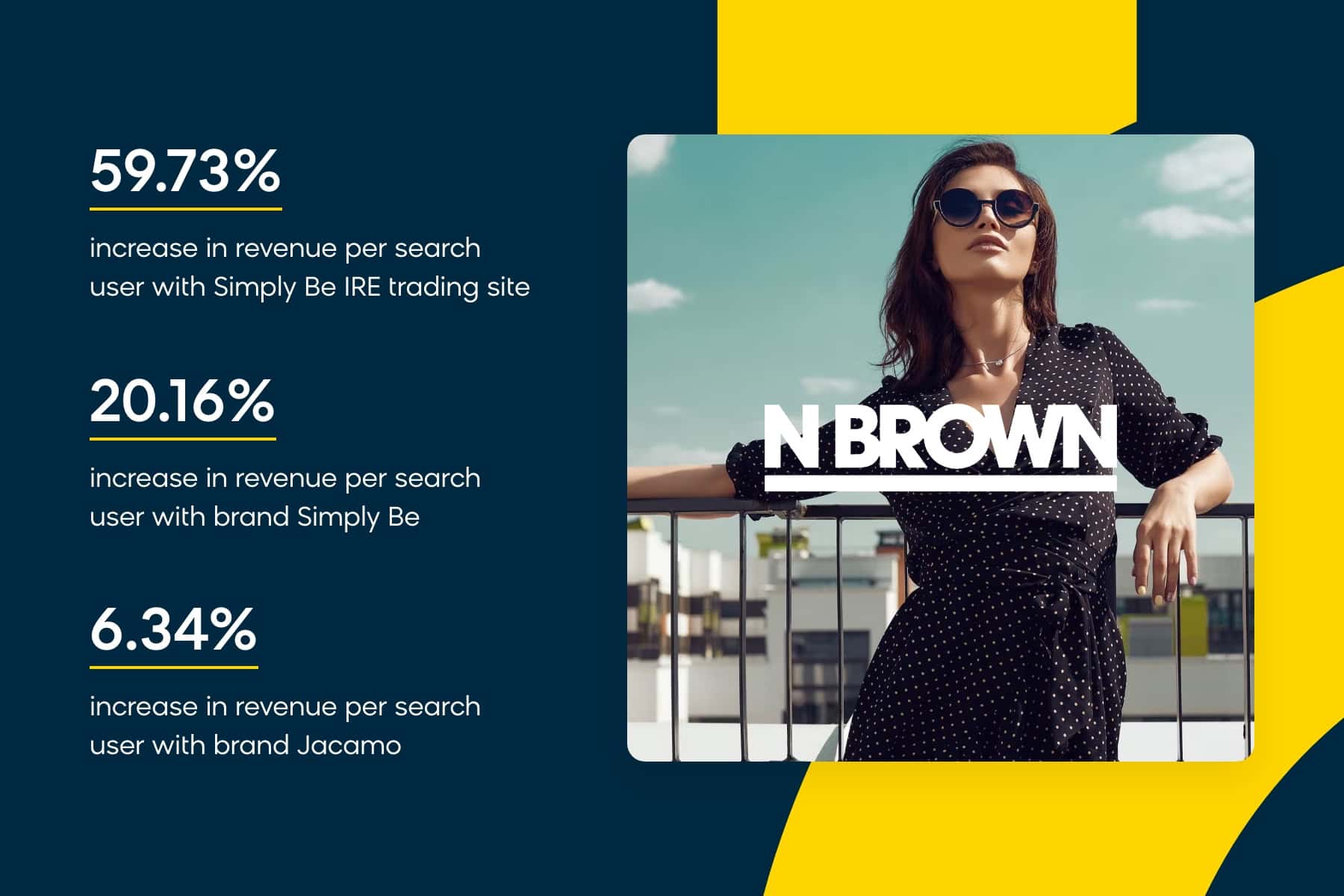
N Brown
Fashion and grocery retailer N Brown sought to address poor site search functionality and performance and deliver personalized experiences that convert. With Loomi search, it was able to retrieve the most relevant search results and rank them for maximum business impact. As a result, the company saw a nearly 60% increase in revenue per search user on one of its brands.
The Vitamin Shoppe
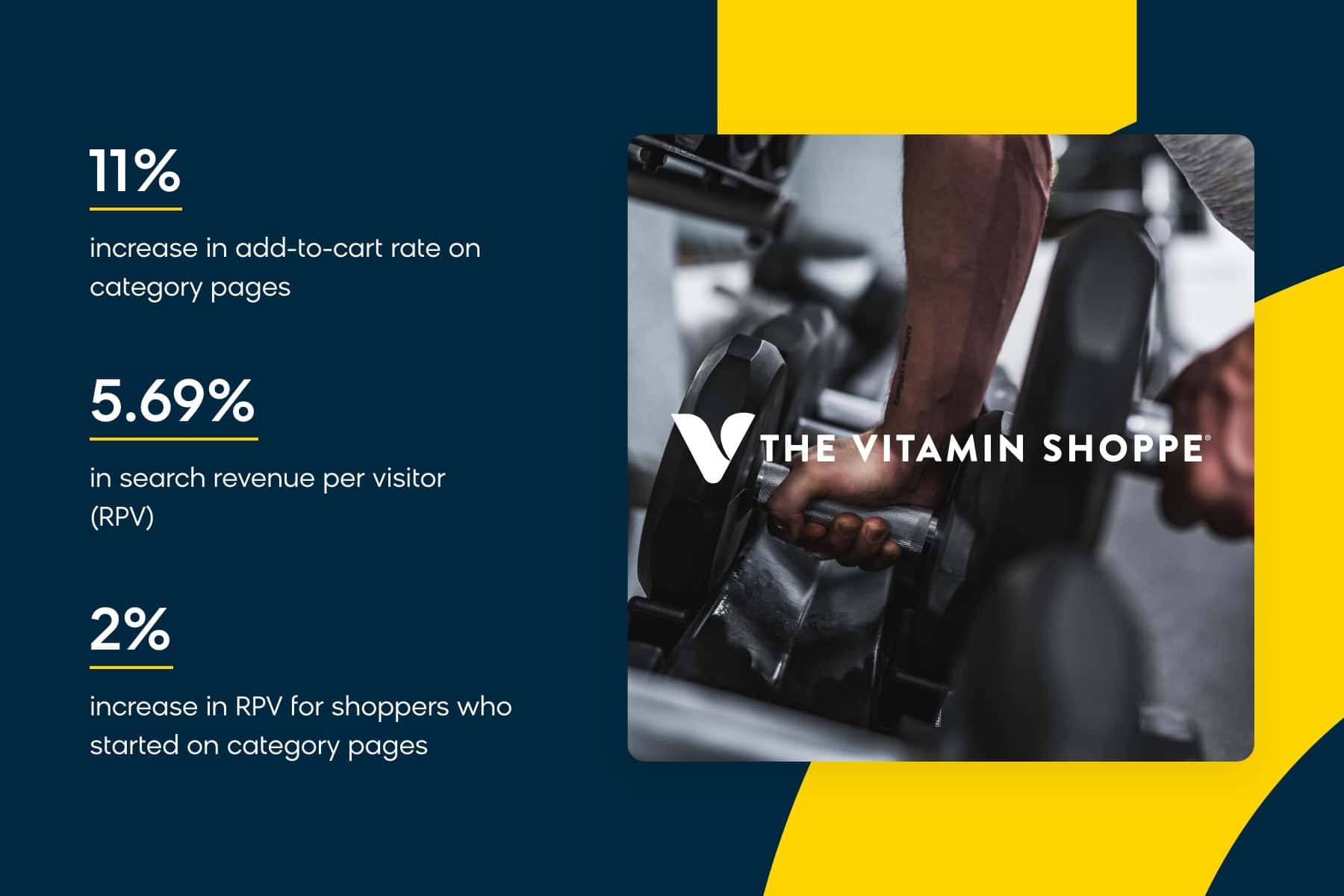
The Vitamin Shoppe wanted to improve its category pages and provide more resources to customers who were focused on browsing and learning about the products. By investing in Loomi site search and merchandising, the vitamins and supplements retailer was able to deliver more relevant search results. It saw an 11% increase in its add-to-cart rate on category pages, a 5.69% increase in search revenue per visitor, and a 2% increase in revenue per visitor for shoppers who started on category pages. The search figures were measured across two-week periods before and after launch.
HD Supply
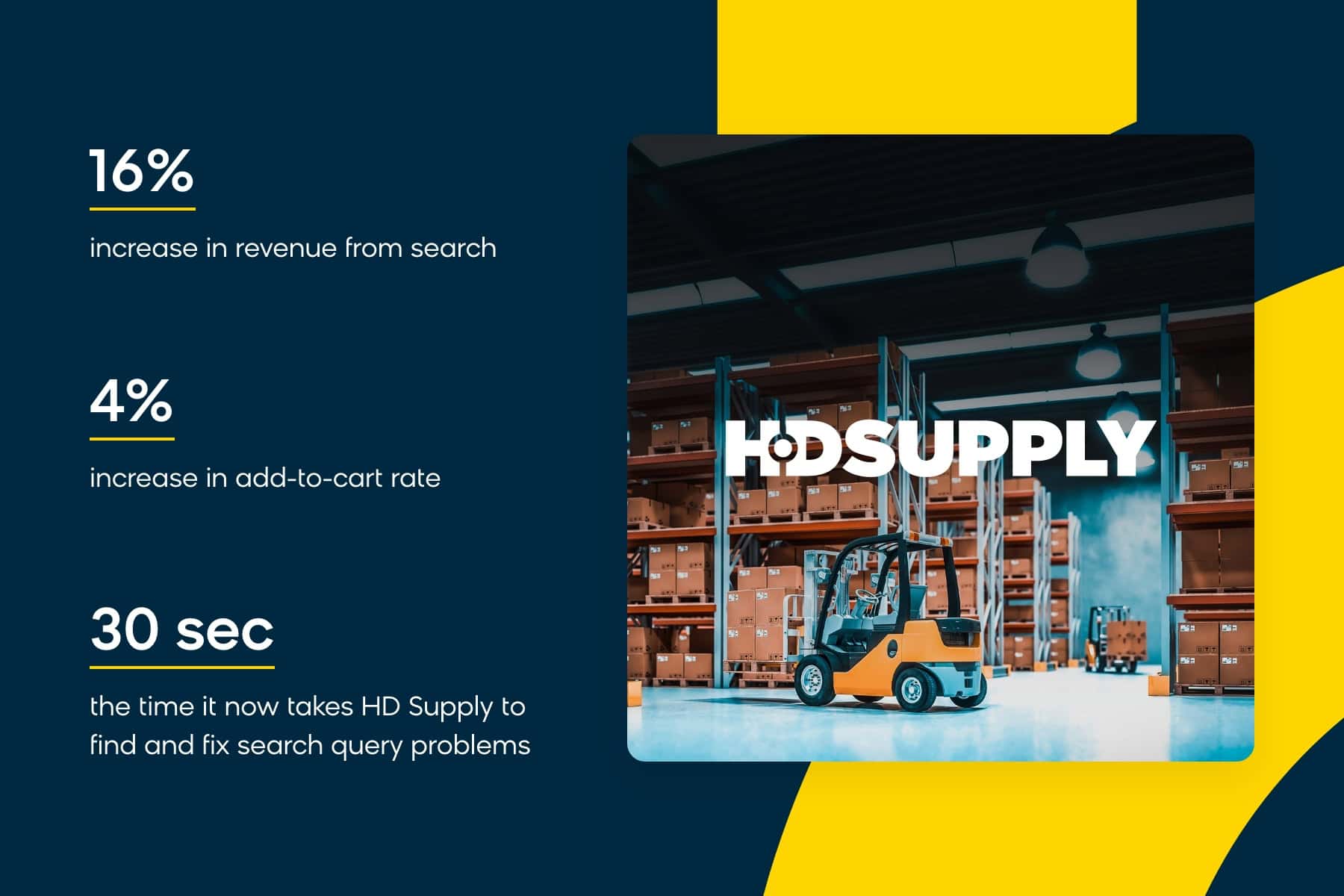
HD Supply, a B2B distributor with millions of SKUs, wanted to help its buyers find the right products quickly and reliably before moving on with their workdays. By focusing on site search, HD Supply was able to redirect its ecommerce efforts and improve its add-to-cart rate by 4% directly from the search bar, resulting in a significant increase in conversion rates and a 16% increase in revenue from search.
For more examples of winning site search experiences powered by Bloomreach to inspire you, check out our other product discovery case studies.
Choosing a Site Search Platform
Choosing the right site search platform, or building your own, can be a daunting task with many factors to consider before making a decision. Here are some questions to ask before choosing a provider:
-
Does it have AI?
Effective site search doesn’t happen on its own. The right site search platform uses AI to understand user intent, provide personalized results, and ensure relevance. Look for a platform that utilizes machine learning and natural language processing to improve product discovery for users. As large language models continue to improve, they become more powerful, shaping how impactful your search results are at driving conversions.
-
Is it scalable?
How will it scale? One of the most important things to consider is whether the search platform will be able to handle the size and complexity of your website as it grows. You’ll want a platform that can scale with your business so you don’t have to keep switching providers as your website expands.
-
Is it headless?
A headless site management solution gives you complete control over the user experience, allowing you to design and customize the search results page to fit your brand and customer needs. If you’re looking for maximum flexibility and control, a headless platform is what you need. Or better yet, find a solution that’s MACH-compliant.
-
Is it reliable?
Reliability is key when it comes to your search engine. You don’t want your search results to be down or slow when customers are trying to find what they need. You’ll also want to consider how well the site search solution will perform during peak trading times such as Black Friday and busy holiday shopping seasons. Look for a provider with a proven track record of uptime and fast response times so you can feel confident at all times.
-
What is its reputation? How long has it been around for?
Experience counts when it comes to site search. A provider that’s been around for a substantial amount of time is likely to have a proven track record of success and a deep understanding of the industry, not to mention a wealth of knowledge, resources, and data to help you achieve your search goals.
-
Does it offer powerful search APIs and developer tools?
A search platform with robust APIs and developer tools will give your team the flexibility and control they need to create a search experience that meets your specific business needs. This will also allow you to integrate with other systems and tools seamlessly as your company builds your ecommerce technology stack.
So, Where Do You Go From Here?
The future of site search is exciting, with advancements in AI, machine learning, NLP, and personalized customer experiences shaping the landscape. By investing in a robust search platform for your ecommerce site, you’ll be well on your way to delivering a seamless and personalized search experience that drives revenue, increases customer satisfaction, and sets you apart as a leader in the industry.
That’s why you need Loomi, Bloomreach’s agentic personalization platform. Loomi search is more than “good site search” — it’s a combination of AI-powered site search, SEO, recommendations, and product merchandising that delivers personalized search results for your customers. With APIs and support for every major ecommerce platform, it is flexible and scalable enough to grow with your business.
Ready to take your next steps? Learn more about how to automatically personalize your search experience.
Internal Site Search FAQs
What is an internal site search?
Internal site search is the function that lets a visitor find products, content, or information within a single website by entering keywords or phrases into a search bar. It is confined to that site’s own catalog and content, which is what separates it from external search engines like Google.
What is the difference between internal site search and organic search?
Organic search brings people to your site from an external search engine. Internal site search is what those visitors do once they have arrived. Organic search data tells you which queries a search engine chose to rank you for; internal search data tells you what your visitors asked for directly, in their own words.
Should internal site search results pages be indexed by Google?
The raw, parameter-based search results URLs should not be. They duplicate one another and consume crawl budget for no benefit. The queries themselves are a different matter: a query with proven demand and matching inventory is worth promoting into a dedicated, server-rendered page that carries its own canonical URL, H1, and robots tags.
How do I find out which internal searches are failing?
Look for a zero-result or no-results report in your search platform’s analytics. In Loomi, the No Search Result Keywords report covers a default 30-day window and shows how often each failing keyword was searched and how many of those sessions ended without a product view. Rank the list by search volume rather than by how obviously broken each query looks.
What is a good zero-result rate for internal site search?
Lower is not automatically better, and zero is the wrong goal. The only way to return something for every query is to keep loosening what counts as a match, and past a point that spends relevance on the queries that were already working. Judge the composition instead of the rate: nulls caused by the customer using a different word than you do are worth fixing, and nulls caused by you not stocking the item are correct answers that belong in range planning rather than in a search backlog.
What is a good internal site search conversion rate?
There is no single benchmark worth chasing, because it moves with catalog size, category, and how prominent the search bar is. The comparison that matters is internal: search users against non-search users on your own site. Visitors who search convert at 3x the rate of those who only browse, so if your searchers are not well ahead of your browsers, the search experience is the thing to fix.