
The average ecommerce store converts just 1.6% of visitors into buyers, while top-performing categories like food and beverage exceed 6%. That gap represents significant lost revenue for the majority of Shopify merchants. The good news: Shopify conversion rate optimization doesn’t require a complete store overhaul. Small, strategic improvements can turn into meaningful revenue gains.
This guide covers 15 proven strategies for improving your Shopify conversion rate in 2026, organized from foundational must-haves to advanced AI-powered tactics that the highest-performing stores use. Whether you’re optimizing your first store or scaling an enterprise operation, these data-backed approaches will help you turn more browsers into buyers.
What Is Shopify Conversion Rate Optimization?
Conversion rate optimization (CRO) is the process of systematically improving the percentage of visitors who complete a desired action on your Shopify store. For ecommerce, that typically means making a purchase, but it can also include adding items to a cart, signing up for an account, or subscribing to a newsletter.
This is the formula for calculating conversion rate:
Conversion rate = (Total conversions / Total visitors) x 100
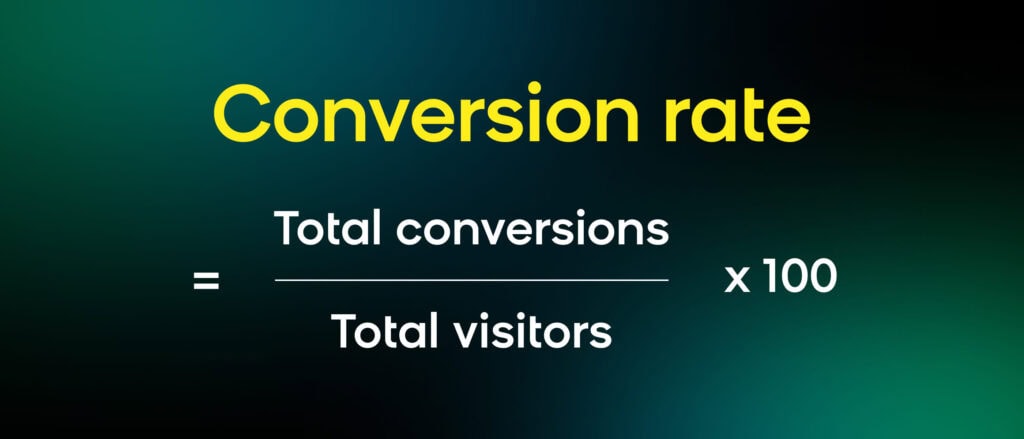
If your store receives 10,000 visitors in a month and 140 of them make a purchase, your conversion rate is 1.4%. Shopify-specific CRO focuses on leveraging the platform’s native capabilities, app ecosystem, and data infrastructure to improve this number.
What makes Shopify CRO different from generic CRO is the platform context. Shopify’s checkout, theme system, app integrations, and data architecture all create unique optimization opportunities and constraints. The strategies that work on a custom-built store don’t always translate directly to Shopify, and vice versa.
Shopify Conversion Rate Benchmarks: What “Good” Actually Looks Like
Before optimizing, you need to know where you stand. According to industry benchmarks compiled by Shopify, conversion rates vary significantly by vertical:
| Category | Avg. Conversion Rate |
|---|---|
| Food and beverage | 6.22% |
| Beauty and personal care | 4.94% |
| Multi-brand retail | 3.93% |
| Fashion, accessories, and apparel | 3.06% |
| Home and furniture | 1.41% |
| Luxury and jewelry | 0.94% |
The revenue impact of even small improvements is substantial, especially for larger brands. Even a 1% increase in conversion rate can result in big boosts in revenue.
Foundational Shopify Conversion Rate Optimization Strategies
These five strategies form the foundation of any CRO effort. If you haven’t nailed these, tackle them before moving to advanced tactics.
Optimize Page Speed and Core Web Vitals
Site speed directly impacts conversions. Research from Portent found that pages loading in one second convert at 3.05%, while pages loading in five seconds convert at just 1.08%. That’s a nearly 3x difference from speed alone.
For Shopify stores specifically:
- Compress images before uploading. Tools like TinyPNG reduce file sizes without visible quality loss. Shopify’s CDN handles resizing, but lighter originals load faster.
- Audit your installed apps regularly. Each app adds JavaScript to your storefront. Remove apps you’re not actively using and test your speed score after every new installation.
- Use Shopify’s built-in speed report. Navigate to Analytics > Reports > Online store speed. Track this metric weekly alongside revenue to spot the correlation between speed changes and sales.
- Minimize custom code and third-party scripts. Heavy tracking pixels, chat widgets, and analytics tools add up. Consolidate where possible.
A Google/Deloitte study found that even a 0.1-second improvement in mobile page speed increases retail conversions by 8.4%.
Streamline Your Checkout Process
70.2% of online shopping carts are abandoned, and 18% of shoppers cite a “too long or complicated checkout” as their reason for leaving.
Reduce checkout friction with these steps:
- Enable guest checkout. Forcing account creation before purchase is one of the top abandonment drivers. In fact, 26% of shoppers cite it as a reason for leaving.
- Activate one-page checkout. Shopify’s one-page checkout condenses the entire process into a single view, reducing perceived complexity.
- Offer multiple payment methods. Apple Pay, Google Pay, Shop Pay, and PayPal give returning customers one-tap checkout options. Shop Pay alone has been shown to increase checkout-to-order rates.
- Be transparent about costs. The number-one reason for cart abandonment (48%) is unexpected extra costs like shipping, taxes, and fees. Display these clearly before checkout.
For a deeper dive into checkout optimization, see our guide on how AI enhances ecommerce checkout conversion rates.
Take a Mobile-First Approach
Mobile devices now account for approximately 70% of retail website traffic, but convert at a lower rate than desktop (1.2% vs. 1.9% on Shopify). Closing this gap represents one of the biggest CRO opportunities for Shopify merchants.
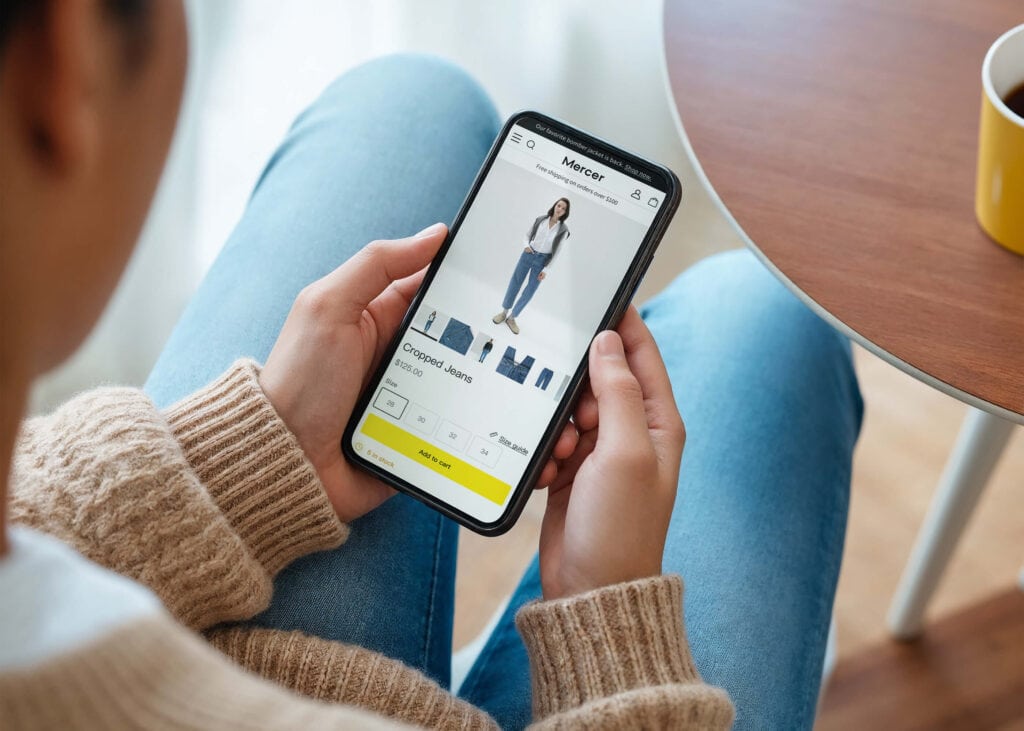
Mobile optimization essentials:
- Ensure your hero image, price, and primary CTA appear above the fold on standard mobile screen sizes
- Use a minimum 16px body text with 1.4 line height for readability without zooming
- Make all tappable elements at least 44×44 CSS pixels to prevent mistaps
- Simplify navigation with a collapsible menu drawer and clear category labels
- Integrate mobile payment options like Apple Pay and Google Pay for one-tap purchasing
- Test on actual devices. Shopify’s theme preview helps, but testing on a physical phone over a slow connection reveals real-world friction points
Use High-Quality Product Imagery and Descriptions
Since online shoppers can’t physically interact with products, your imagery and copy need to do the heavy lifting. Product pages are where purchase decisions are made or lost.
- Include multiple product angles, plus at least one lifestyle shot showing the product in use
- Enable pinch-to-zoom so customers can examine details
- Add product videos where possible — even a 15-second demonstration clip can significantly increase conversions
- Write scannable descriptions that lead with benefits, not just specifications: “Water-repellent fabric keeps you dry in unexpected showers” converts better than “polyester outer shell”
- Place shipping and return policies next to the price to answer the biggest hidden question shoppers have: “What happens if it doesn’t work out?”
Build Trust With Social Proof and Reviews
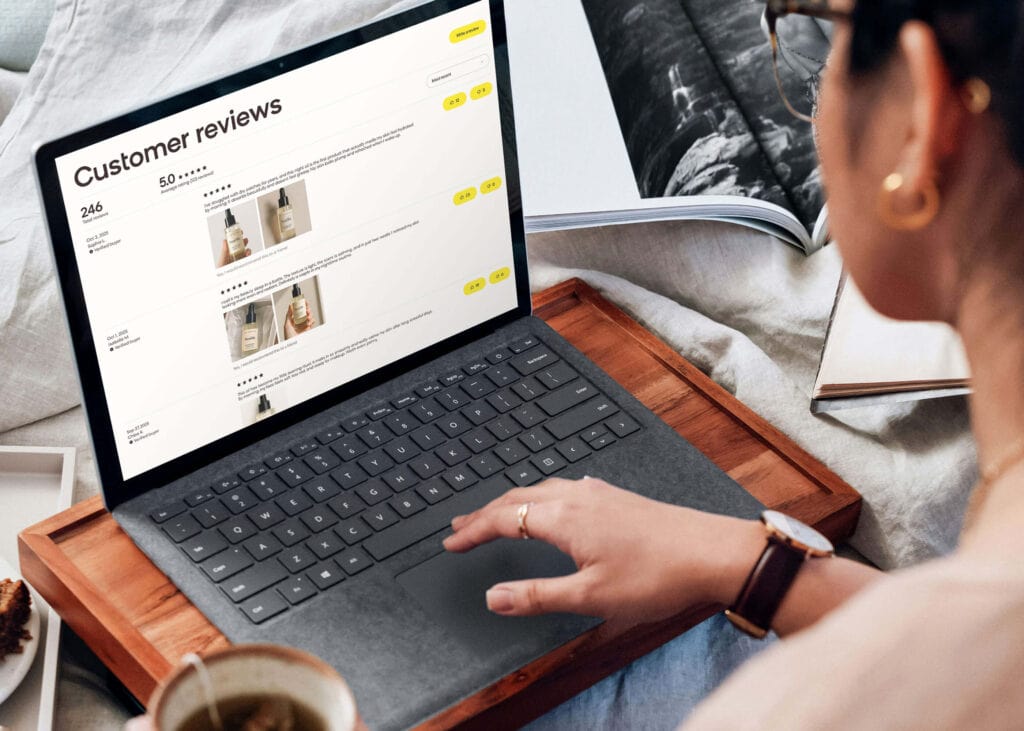
Research shows that 98% of consumers read reviews before making a purchase. Social proof reduces the perceived risk of buying from an unfamiliar store.
Effective social proof strategies:
- Display customer reviews and star ratings directly on product pages. Aim for at least five reviews per product, since fewer than that can look curated rather than authentic.
- Showcase user-generated content. Customer photos and videos of your products in use are more persuasive than professional shots alone.
- Add trust badges. SSL certificates, payment method icons, and security badges reassure customers that their transaction data is safe.
- Feature “as seen in” logos if your products have been covered by media outlets, and highlight total review counts to signal popularity.
- Place social proof near friction points. A “Loved by 12,000+ customers” line next to a high shipping cost or a “Free returns” badge next to the size selector addresses hesitation at the moment it occurs.
Advanced Shopify Conversion Rate Optimization Strategies
Once your foundations are solid, these advanced strategies can push your conversion rate into top-performer territory.
Personalize the Shopping Experience With AI
Personalization is no longer optional for serious Shopify merchants. McKinsey research found that companies excelling at personalization generate 40% more revenue from those activities than average performers, and roughly 75% of customers are more likely to buy from brands that deliver personalized experiences.
The challenge for most Shopify merchants isn’t knowing that personalization matters. It’s that customer data gets scattered across Shopify, marketing tools, subscription apps, loyalty platforms, and support systems. When data lives in silos, it’s nearly impossible to see the full customer journey or act on it in real time.
True personalization requires unifying first-party data from Shopify’s transactional layer (orders, product catalog, customer profiles, checkout behavior, and consent signals) while capturing every behavioral event (browse patterns, search queries, cart activity, and intent signals). That combination creates a complete, real-time customer profile, even for anonymous shoppers, that makes hyper-targeting, advanced segmentation, and 1:1 personalization possible.
What AI-powered personalization looks like in practice:
- Dynamic product recommendations that adapt based on each visitor’s browsing and purchase history
- Personalized email content and send times optimized for individual engagement patterns
- On-site content that adjusts in real time, including different homepage banners, featured products, and messaging for new vs. returning visitors
- Predictive analytics that identify which customers are likely to churn and trigger retention campaigns automatically
For more on personalization strategies, see our guide to ecommerce personalization.
Implement Intelligent Site Search and Product Discovery
Site search is one of the most underrated conversion levers in ecommerce. While only about 15% of visitors use a store’s search function, those searchers account for 45% of all ecommerce revenue.
And yet, many ecommerce sites still fail to meet search expectations, returning irrelevant or missing results for common queries.
AI-native commerce search solves this by translating shopper intent into personalized, revenue-driving results. Instead of matching keywords to product titles, it understands what shoppers actually mean and surfaces the most relevant products using real-time context: inventory levels, pricing, availability, and individual browsing behavior. The results continuously improve as the AI learns from more shopper interactions.

Here’s how to improve your site search:
- Replace basic search with AI-powered search that understands synonyms, typos, and natural language queries, so shoppers can search naturally and get personalized results immediately
- Add autocomplete with product thumbnails — autocomplete can help boost sales
- Implement faceted filters (size, color, price, rating) so shoppers can narrow results quickly
- Analyze search query data regularly to identify product gaps, naming mismatches, and trending demand
- Use AI merchandising to automatically rank search results by relevance, availability, and conversion likelihood
Product discovery goes beyond the search bar. It includes category page optimization, recommendation widgets, and streamlined merchandising that surfaces the right products for each visitor. And while many Shopify brands start with search, the real advantage comes when search intelligence connects to the rest of your personalization stack (recommendations, categories, conversational experiences, and marketing channels like email and SMS) without rebuilding integrations for each one.
See how brands are winning with ecommerce site search.
Deploy AI-Powered Product Recommendations
Product recommendations drive conversions at every stage of the shopping journey. They help customers discover relevant products they wouldn’t have found on their own, increase average order value through cross-sells and upsells, and keep visitors engaged longer.
Effective recommendation strategies for Shopify:
- “Frequently bought together” widgets on product pages to encourage add-on purchases
- “You may also like” recommendations based on browsing behavior and purchase patterns
- Personalized homepage recommendations that adapt to each returning visitor
- Post-purchase email recommendations to drive repeat orders
It’s important to note that there’s a stark difference between basic and AI-powered recommendations. Basic recommendations rely on manual rules (e.g., “If a shopper buys X, then show them Y”). AI-powered recommendation engines analyze individual customer behavior, product attributes, and real-time signals to surface the most relevant products for each visitor, and they improve continuously as they learn from more data.
See how brands use personalized product recommendations and cross-selling techniques to increase conversions.
Create Targeted Abandoned Cart Recovery Flows
The majority of ecommerce carts get abandoned, which makes recovery flows a massive revenue opportunity. But generic “you forgot something” emails are no longer enough. The most effective recovery strategies are personalized, multi-channel, and impeccably timed.

To build an effective recovery flow:
- Send the first recovery message within one hour. Timeliness matters — the longer you wait, the less likely the customer is to return.
- Personalize the message with the specific products left in the cart, including images and pricing.
- Orchestrate across channels. Some customers respond to email, others to SMS or push notifications. Multi-channel abandoned cart recovery consistently outperforms single-channel approaches.
- Use AI to determine optimal timing and channel for each individual customer based on their historical engagement patterns.
- Include relevant social proof, like reviews for the abandoned products or a reminder of your return policy.
For more abandoned cart strategies, read our abandoned cart email best practices guide.
Optimize With A/B Testing and Experimentation
CRO without testing is just guessing. A/B testing lets you make data-driven decisions about what actually moves conversion rates on your specific store.
High-impact elements to test:
- Call-to-action buttons: Wording, color, size, and placement
- Product page layouts: Image placement, description length, and where reviews appear
- Pricing presentation: How you display prices, discounts, and shipping costs
- Checkout flow: Number of steps, form fields, and the order of payment options
- Homepage content: Hero banners, featured products, and promotional messaging
A/B testing best practices:
- Test one variable at a time to isolate what’s driving the change
- Run tests long enough to reach statistical significance — don’t declare winners prematurely
- Document every test, including hypothesis, duration, and outcome — this will give you an incredible amount of audience insights after six months of consistent testing
- Don’t ignore losing tests — a “no uplift” result prevents you from repeating mistakes
The most advanced approach takes A/B testing further: Contextual personalization uses AI to automatically serve the best-performing variant to each individual visitor, rather than showing the same version to everyone.
Leverage Omnichannel Orchestration
Most CRO guides focus exclusively on on-site optimization. But conversion rate optimization extends to every touchpoint in the customer journey, including email, SMS, push notifications, and social channels. Companies with a cohesive ecommerce strategy experience up to 30% higher revenue growth compared to those without one.
Why omnichannel matters for CRO:
- A customer who abandons a cart might respond to an SMS reminder but ignore emails
- A returning visitor who engaged with a push notification converts differently from one arriving from a Google search
- Coordinating messaging across channels prevents the fatigue of receiving the same message everywhere

The key is having data, AI decisioning, and orchestration in one platform so that adding a new channel doesn’t require rebuilding integrations or duplicating work. When your Shopify storefront, email campaigns, SMS flows, and push notifications all draw from the same customer intelligence, personalization flows to each channel instantly. An email engagement signal improves on-site personalization, while a search query informs which products to feature in a push notification. This interconnected approach outperforms siloed point solutions that optimize each channel independently.
Instead of managing static segments or stitching together disconnected tools, this approach means campaigns launch faster, triggers are smarter, and performance improves continuously because the system is learning from every interaction across every channel.
How Top Shopify Brands Drive Higher Conversion Rates
See how Shopify brands have been applying these strategies to drive measurable results.
Lovall, a UK womenswear brand on Shopify, consolidated its customer data and activated AI-powered personalization with Bloomreach. The results:
- 50.85% increase in CRM revenue year-over-year
- 310.5% increase in automated email revenue
- 30.26% improvement in abandoned cart conversion rates
- 10+ hours saved per week through automation
The team credits the native Shopify integration with accelerating deployment: “The plug-and-play relationship between Loomi AI and Shopify is really helpful. There wasn’t any need for us to devote time and resources to connect the platforms manually.”
Thirdlove, a female-founded lifestyle brand specializing in bras, underwear, loungewear, and lingerie, used Loomi AI to power personalization on its Shopify storefront. This included a Fit Finder quiz on the site, which then fed into a real-time segmentation strategy and updated recommendations based on these preferences. This led to:
- Personalized experiences delivered to over 3.5 million customers across 5 unique customer archetypes
- Over $256K in incremental revenue in just a few months
Crafter’s Companion, a crafting brand using Shopify, needed a better way to reach its diverse customer base. With the help of Loomi AI, the brand was able to seamlessly transition to the platform, develop a more data-centric approach, and personalize at scale. Here’s what the brand accomplished:
- Full functionality in only 27 days, including complete data integration and IP warmup
- 99.94% weighted email delivery rate during the IP warmup phase
- 39.51% open rate during the transitional period
- 4.71% click rate during the transitional period

How Loomi AI for Shopify Optimizes Conversions
Most Shopify CRO approaches treat each tactic (speed, checkout, email, search) as a separate project. Loomi AI for Shopify takes a different approach: It’s a native integration that unifies customer data, product data, and business metrics so you can personalize every interaction with the same real-time intelligence.
Here’s what that means in practice:
Unified Data: The Foundation for Real Personalization
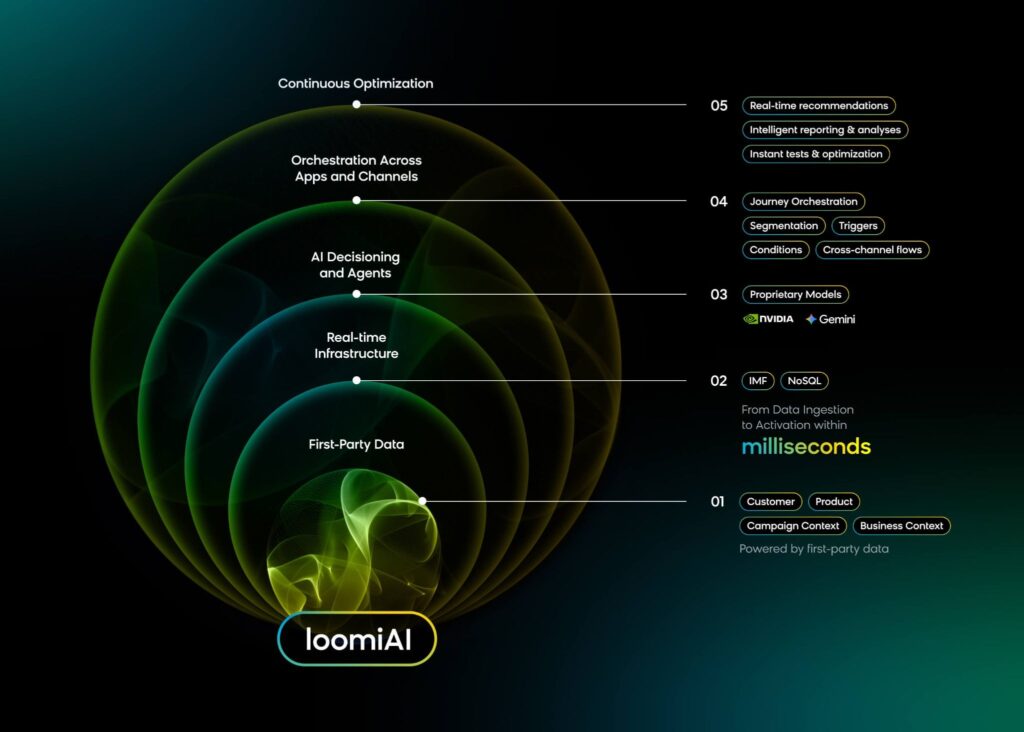
By deeply integrating with Shopify’s transactional data (orders, product catalog, customer profiles, checkout behavior, and consent signals), Loomi AI augments that foundation by capturing the full extent of customer behavior (browse patterns, search queries, cart activity, intent signals, etc.). The result is a complete, real-time customer profile that combines what they’ve bought, what they’re considering, and how they engage across every channel.
That unified profile powers everything: AI-powered ecommerce search and conversational shopping that understands shopper intent, as well as email and marketing automation driven by individual behavior rather than static segments.
Real-Time Context: Personalization That Follows Customers Everywhere
Because your data, AI decisioning, and orchestration live in one platform, adding a new channel doesn’t require rebuilding integrations or duplicating work. Turn on email, ads, search, SMS, push notifications, WhatsApp, etc., and your personalization flows there instantly. With one native Shopify integration, you get access to 13+ marketing channels, personalized product discovery, and conversational shopping.
Brands integrating our AI search with Shopify have seen an average 50% increase in revenue per visitor, 24% higher average order value, and 21% increase in conversion rates.
Global Scalability: Start Anywhere, Scale Without Rebuilding
You don’t need to adopt everything at once. Many Shopify brands start with one capability, like email marketing or site search, and expand as their needs grow. Whether you’re expanding into new regions, adding languages, or managing complex regional catalogs, the platform keeps your data, decisioning, and personalization consistent as you scale. That means you can move from mid-market momentum to global scale without rebuilding your stack.
Companies retiring legacy marketing solutions and consolidating onto a unified platform have seen an ROI of 251% within three years.* The returns are real: each additional channel makes every channel smarter.
*The Forrester Total Economic Impact study was commissioned by Bloomreach and independently conducted by Forrester Consulting. Actual results may vary.
Get Ready To Improve Your Shopify Conversion Rate
Loomi AI is the key to helping Shopify brands move beyond basic CRO tactics and unlock AI-powered optimization. Our unified platform enables brands to personalize in real time, across all channels, and at scale. See for yourself how Loomi AI and Shopify work together by requesting a demo.
FAQ: Shopify Conversion Rate Optimization
What is a good conversion rate for a Shopify store?
The global ecommerce conversion rate averages around 1.6%, but what counts as “good” depends heavily on your product category. Food and beverage stores average 6.2%, beauty and personal care around 5.0%, while home and furniture stores typically see just 1.4%. Rather than benchmarking against a single number, compare your rate to stores in your specific vertical and focus on improving it over time.
How do I improve my conversion rate on Shopify?
Start with the fundamentals: optimize page speed, streamline checkout, ensure mobile responsiveness, use high-quality product imagery, and add customer reviews. Once those foundations are solid, move to advanced strategies like AI-powered personalization, intelligent site search, product recommendations, and omnichannel abandoned cart recovery. The key is to use data to identify your biggest drop-off points and address those first.
Why is my Shopify conversion rate so low?
Common causes include slow page load times (pages loading in 5 seconds convert at just 1.08%), complicated checkout processes (18% of shoppers abandon due to checkout complexity), poor mobile experience, lack of trust signals like reviews and security badges, and hidden costs that surprise shoppers at checkout. Use Shopify’s built-in analytics alongside tools like Google Analytics to identify where visitors are dropping off in your funnel.
What Shopify theme has the highest conversion rate?
No single theme guarantees higher conversion rates. What matters more than the theme itself is how it’s configured: page speed, mobile responsiveness, clear CTAs, and streamlined navigation. That said, Shopify’s default themes (like Dawn) are well-optimized for performance. The most impactful conversion improvements come from how you use the theme: product page layout, checkout configuration, and the personalization layer on top.
Is a 2.5% conversion rate good for Shopify?
Yes. A 2.5% conversion rate places you well above the 1.4% average and close to the top 20% of Shopify stores. While there’s always room for improvement, you’re already outperforming the majority of merchants. At this level, focus on advanced strategies like AI personalization, product recommendation optimization, and A/B testing to push toward the 3.2%+ tier.
How do I track my Shopify conversion rate?
Shopify tracks conversion rate natively in your Analytics dashboard under Analytics > Reports. You can view your overall conversion rate, conversion by traffic source, and conversion by device type. For deeper analysis, connect Google Analytics 4 (GA4) and set up events for key actions: product views, add-to-cart, checkout start, and purchase. Funnel reports in GA4 reveal exactly where visitors drop off, helping you prioritize which CRO strategies to implement first.