Every modern brand wants to know which customers are about to leave, ideally while there’s still time to win them back. That’s the promise of churn prediction, and it’s why the capability now appears on nearly every martech shortlist.
But churn prediction tools don’t all work the same way, and the differences rarely show up in a demo. To choose the right option, it helps to understand how predictive analytics works under the hood.
Predictive analytics in marketing uses models trained on past customer behavior to score what each customer is likely to do next, such as buy, lapse, or click. Churn prediction is one of those scores: the likelihood that a customer is about to stop buying.
Because every churn prediction tool produces some version of that score, it’s tempting to compare them on accuracy alone. Accuracy matters, but a score is only valuable if your team can act on it, and three other questions decide whether you can:
- What can the model see?
- How current is the score when the message goes out?
- What turns a number on a customer profile into a message?
- Who controls the model?
The answer to each one depends on where the model runs: inside the tool that sends (built-in) or outside it (bolt-on). This guide compares the two approaches on all three questions, then gives you a simple rule for choosing between them and a test to run before you trust a score with your retention budget.

Which Predictive Analytics or Churn Prediction Tools Should a Retail Marketing Team Use?
Most churn prediction tools fall into one of the two approaches.
Customer engagement platforms like Bloomreach take the built-in approach: prediction lives inside the tool that sends, so the model trains on the platform’s own customer data and the score is available inside segments and journeys.
Standalone predictive analytics tools, and models a data science team builds in the warehouse, take the bolt-on approach: they score customers outside the sending tool, and the score has to be imported before a campaign can use it. (Data platforms are a variation on bolt-on. They score unified customer profiles outside the sending tool, then pass the result to the channels connected to them.)
Built-in suits a marketing team that has to act on a score this week without an engineer. Bolt-on suits a team whose data scientists own the model and whose warehouse is the single source of truth for customer data.
It’s important to note that these two approaches are not exclusive, because a warehouse score can be imported into a platform that also runs its own models.
But whichever approach you choose, nearly every vendor will say it “has churn prediction.” What separates the options is how each one answers the four questions from the start of this guide. The table below compares the approaches side by side.
| Question | Built-in (engagement platform) | Bolt-on (standalone or warehouse model) | Bolt-on variation (data platform) |
|---|---|---|---|
| What does the model learn from? | The behavior the platform tracks, such as sessions, purchases, and email opens and clicks. Offline data such as returns only if it’s imported. | Anything in your warehouse, including returns, store sales, and service history, once it has been loaded. | Unified customer profiles built from the sources connected to the platform. |
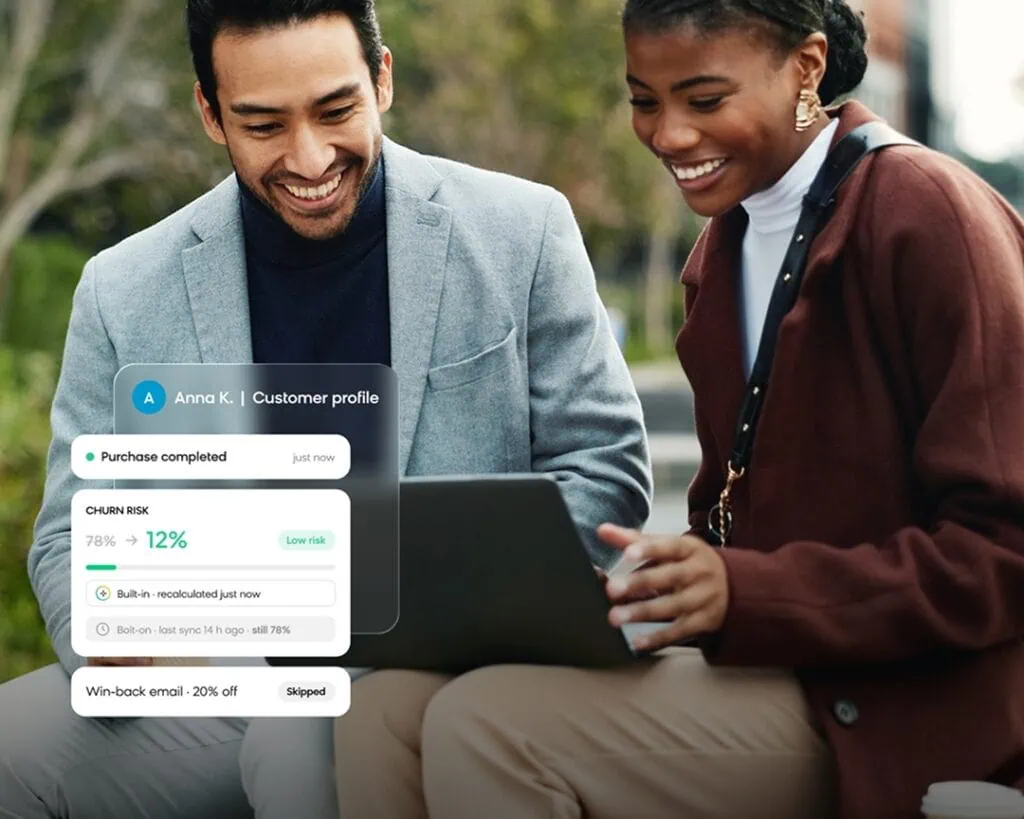
| How current is the score? | Depends on the platform. Some score in batches; Bloomreach recalculates the score with the customer’s latest data every time a journey checks it. | As current as the last scoring run in the warehouse, plus the time it takes to import into the tool that sends. | As current as the last sync from the data platform to the channel. |
| What can the score trigger? | It lives on the customer profile, so you can use it directly in segments, journey conditions, and send-time or channel decisions. | Nothing until it’s imported into the tool that sends. | Whatever the channel tool that receives the score can do with it. |
| Who controls the model? | Marketing, within the settings the vendor offers. | The data science team, which owns the inputs, the model code, and the retraining schedule. | The team that runs the data platform. |
What a Churn Prediction Model Learns From
Determining what a predictive model might seem technical, but three defining elements decide whether a churn score reflects how your customers actually behave:
The data it can access. A model built into the sending tool learns from the engagement that tool already tracks, as it happens (e.g., a browsing session that started five minutes ago or an email clicked this morning.) It sees returns, store purchases, or service calls only if someone imports them. A bolt-on warehouse model is the reverse — it can draw on the widest history, including offline data, but it sees a customer’s latest interactions only after that behavior lands in the warehouse.
How churn is defined. A generic “no order in 90 days” rule rarely matches how customers actually behave as they churn away from your business. In built-in predictive tools like Bloomreach, churn prediction starts from a definition you set: the events that count as active (such as a purchase, an app open, or a subscription renewal), how far back the model looks (from 30 days to a year), and the prediction window (from one day to one year). A bolt-onwarehouse model offers the same control in code, but every change waits in the data science team’s queue.
How much history it trains on. We recommend at least a month of data as a starting point, and a custom prediction needs at least 1,000 customers who reached the target. More isn’t automatically better, though — a year of data can carry an old promotion calendar or a catalog that no longer applies, so treat the training window as a deliberate choice.
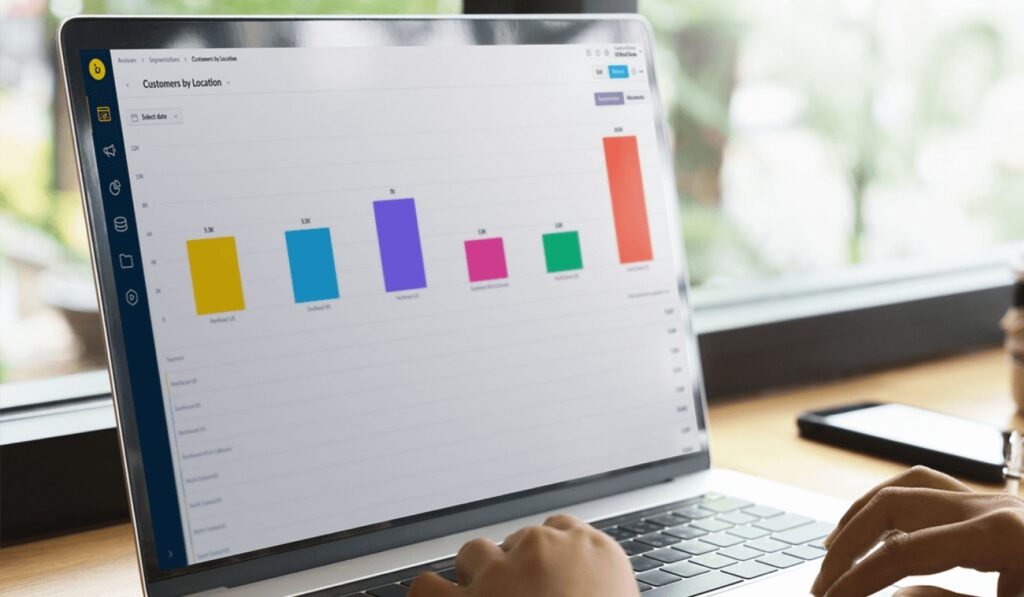
Whichever approach you choose, you should be able to explain a score to the people acting on it. Loomi, Bloomreach’s AI for customer engagement, utilizes churn, purchase, in-session, and custom models that each return a readable decision tree showing every rule (for example, customers who bought at least six items in the last 29 days), how many customers match it, and how many reached the goal. A warehouse model can go deeper, with feature importance and full model inspection, but only for the people who can read it.
When It Fires: The Score and the Model Run on Two Clocks
“How current is the score when the message sends?” is one of the questions buyers ask most about churn prediction tools, and it is easy to get wrong, because two different things get called “real time.”
One is the model: the rules learned from historical data. The other is the score: a single customer’s value, calculated from that customer’s data at a given moment.
Each runs on its own clock, and how those clocks are set is one of the clearest differences between built-in and bolt-on tools.
In built-in tools, the score can update without the model changing. In Bloomreach, a model is built once from historical data and is not rebuilt automatically. It stays in use until someone retrains it, which typically takes 20 minutes to a few hours depending on how much data the project holds.
The score, however, is recalculated with the customer’s latest data every time a segment, journey, or customer profile asks for it. A customer who buys this morning gets a new churn score the next time a journey checks, with no retrain needed.
In-session prediction goes one step further. It scores the current visit from the pages viewed, items browsed and time on site, combined with the customer’s history, and the score updates continuously through the session.
In bolt-on tools, the score runs on the warehouse’s clock. In a batch model, both clocks move together, because the score changes only when the scoring job runs.
The import into the sending tool can be quick (our Snowflake integration syncs changed rows as often as every 15 minutes), but it is still only as current as the last scoring run in the warehouse. A model that scores nightly produces a value up to a day old, however often the sync runs.
For a retention send, that gap has a direct cost. A customer who bought yesterday and still carries last night’s high-risk score gets a win-back discount they did not need. How much that matters depends on what the score controls: a model predicting churn from a paid subscription needs higher accuracy than one predicting a click on a promotional banner.
What It Can Trigger: The Distance Between a Score and a Send
The final question, what turns a score into a message, is the one buyers most often get to late in an evaluation. A score on a customer profile doesn’t start anything by itself. How useful it is depends on how close it sits to the send:
- In a report, someone has to read it and decide what to do.
- In a segment, someone has to build a campaign that targets it.
- As a condition inside a journey, it is checked each time a customer reaches that step.
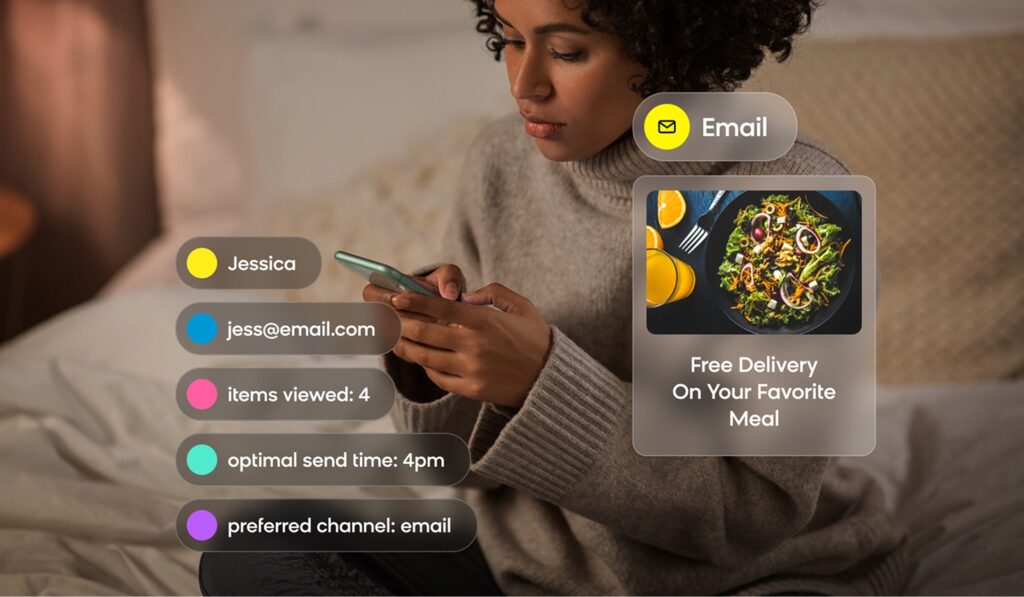
- As a decision on send time or channel, the model makes the choice for each customer.
The closer the score sits to the send, the less work your team has to do to act on it. A built-in score can be used at every one of these distances. A bolt-on score can too, but only after it’s imported into the tool that sends. The last two distances are where prediction does the most work, and each comes with a few decisions worth getting right.

Using the Score as a Journey Condition
In Bloomreach, a journey starts from a trigger. That can be a daily, weekly, or monthly schedule, an event such as a session start or a purchase, a date attribute such as a birthday, or an API call. A Condition or Segmentation node then reads the prediction using the customer’s latest data. There’s no trigger for a change in score, because a prediction is a customer attribute, not an event.
That makes the choice of trigger important. An event-triggered journey only checks the score when the customer does something, and the customers a churn model flags are the ones who have stopped doing things. A daily scheduled check reaches every eligible customer anyway. That’s why churn journeys work best on a schedule: a daily check reaches every eligible customer, whether they’ve been active or not.
The other decision is which scores count as high risk. Churn probability distributions vary from project to project, so set the line from a report of where your customers cluster rather than picking a fixed number. If your win-back budget covers a set number of customers, you can also treat the score as a ranking and target that many of the highest-risk customers.
Let the Model Make the Decision
At the closest distance, the prediction doesn’t just inform a choice. It makes one for each customer.
In Bloomreach, that covers two everyday decisions: which channel to send on and when to send.
Channel prediction. A multinomial classification model predicts whether each customer is more likely to click on email or browser push, based on campaigns delivered in the last 30 to 90 days. Because it learns from past sends, it can pick up your old channel rules, and it needs at least 1,000 customers per channel. Before routing everyone by prediction, test it: send one group by predicted channel, one by email only, and one by push only, and switch over once the predicted group beats both.
Optimal send time. In a journey, the wait node holds each customer until their predicted best hour, within limits you set, such as a maximum wait or a local deadline like 20:00. It optimizes for clicks and falls back to opens when click data is thin. If you send through custom channels or webhooks, a standalone send-time prediction can read your custom events instead.
Built-In, Bolt-On, or Both: A Decision Rule
The reality of modern tech stacks points to a simple rule for choosing your tools: run prediction where your data and your decisions live.
Choose built-in when marketing needs to act on a score without waiting on an engineer, the signals that matter are ones the sending tool already tracks, or the decision is made message by message, such as send time, channel, or an in-session offer.
Keep it bolt-on when your data science team owns a model it doesn’t want to hand off, your warehouse is the source of truth, or the prediction depends on data the sending tool never sees, such as returns, store sales, or service history.
Run both when each side has something the other lacks. The warehouse score comes into the platform as a customer attribute, and built-in models handle the per-message decisions. With both scores on the same profile, you can compare them before choosing which one drives a journey.
Brands like New York Pizza run a version of this: customer data loads from BigQuery, while Bloomreach handles the send decisions, including send-time optimization.
How Bloomreach Helps Modern Brands Prevent Churn
When prediction lives in the same place as your customer data and your channels, the score is never waiting on an import. It reflects what the customer did a moment ago, and it’s ready the instant a journey needs it.
That’s exactly what Bloomreach is built for. Powered by Loomi, our AI for customer engagement, prediction models run inside Bloomreach’s marketing app, on the same customer profiles your journeys read. Because the score sits in the same tool where you send your campaigns, you can use it in a segment, a journey condition, or an automated send-time or channel decision, with no engineer support required.
You don’t have to build these models from scratch, either. Ready-made templates cover purchase, churn, email open, optimal send time, and in-session prediction, and custom predictions handle anything else you want to target. If your data science team already has a model it trusts, its scores can sync with Bloomreach and sit alongside Loomi’s AI-powered predictive capabilities.
Some models are better left where they are. If your data scientists need to own the model code and retraining schedule, or the prediction relies on data that can’t leave your environment, keep the model in your warehouse and use Bloomreach to act on its score.
Whichever route you take, the goal is the same: a churn score that reflects what your customer did a moment ago, in the place where you can act on it. Bloomreach makes it possible — request a demo today to see it in action.