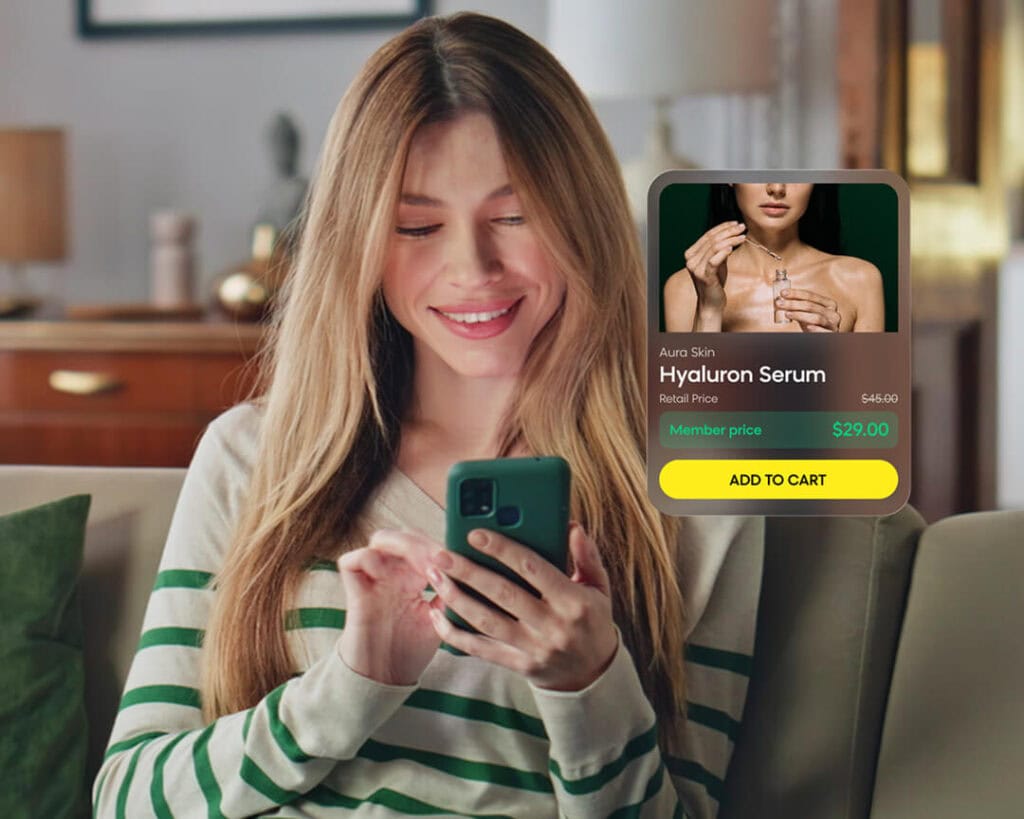
Shopify merchants move at the speed of commerce. Campaigns change, seasons shift, trends spike, and merchandising priorities evolve week to week — sometimes day to day.
But customizing the search and product discovery experience has often been a bottleneck for merchants. Even simple changes can require developer support tickets, partner assistance, and wait times. That creates friction at exactly the moment teams need speed.
Experience Customization in Loomi for Shopify changes that. Merchants can now take direct control over how discovery experiences look and behave on their storefront — from search results and autosuggests to product card layouts and collection grids — to customize experiences without the bottleneck.
The Cost of Customization Delays
Storefront customization is not just a design preference. It directly affects how shoppers navigate your products, make decisions, and complete a purchase.
But so much of the storefront experience has traditionally lived inside code that only developers can touch. The way search results render, the way product cards appear, the sale badges, color swatches, pricing displays, and availability indicators — any changes to these elements usually require technical support and deferred timelines.
These delays aren’t just an inconvenience. When changes move slowly, the costs add up:
- Missed revenue from poor product discovery. When merchants can’t easily surface the right visual cues, shoppers have less context to make buying decisions. Search results become less informative, product grids are less compelling, and high-intent shoppers are less motivated to purchase.
- Lost campaign time and money. To support launches, promotions, and brand campaigns, merchants need more storefront flexibility than a default page theme provides. However, extra time to implement changes equates to missed opportunities — by the time a change ships, the moment has often passed.
- Risk of breaking the storefront. When customization requires editing code, merchants are one bad edit away from a broken search experience: products not rendering, pages erroring out, or your search bar showing null results.
Unlocking Experience Customization for Shopify
To keep up with the pace of commerce, merchants need a direct path from idea to live storefront. That’s why Experience Customization is built directly into the Loomi for Shopify app.
Using HTML+EJS, merchants can control exactly how search results, product grids, autosuggest, and collections render on their storefront — without touching connector code, filing a support ticket, or waiting on a developer. Edits are made on your timeline, and changes are published in near-real time.
This unlocks the capabilities that merchants need to customize without compromise:
- Self-serve control: Customize product cards, layouts, facets, and badges directly in the app, updating visuals on your timeline, not a developer’s. When a campaign goes live or a trend surfaces, your storefront is ready.
- Speed and flexibility. Go from weeks of logistics to self-serve customization in hours. With a successful save, your storefront updates with cache invalidation — no deployment cycle required.
Experience Customization in Practice
Experience Customization is built for the full range of Shopify merchants, from agencies and brands managing multiple storefronts to enterprise teams operating across markets. Here are a few examples of how it can transform your workflow.
Customize Pricing Display With Metafields
A fashion retailer can make product cards more informative by showing retail price, member price from a Shopify metafield, and calculated savings directly on the listing, so shoppers can understand the value of membership at a glance.
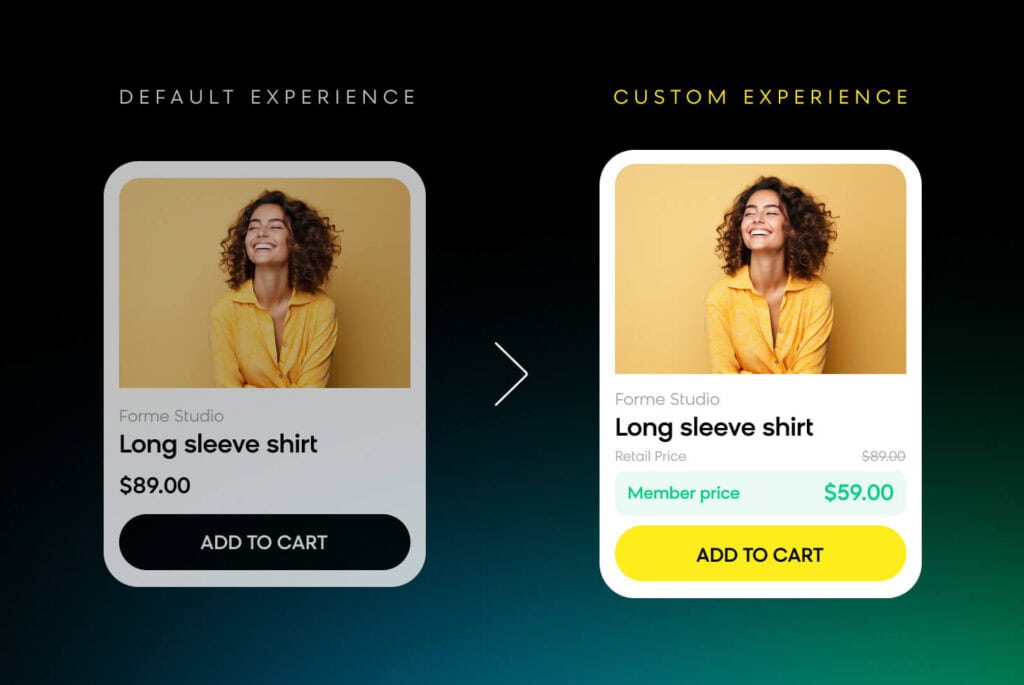
Traditionally, this update would require code editing and a full developer cycle. With Experience Customization, an agency or merchant team can handle it independently. Just open the product card template, reference the available EJS variables for metafields, add the pricing logic, and publish.
Display Color Swatches and Image Galleries
A home goods merchant can help shoppers browse faster by adding selectable color swatches and hover images to product cards, making it easy to preview styles and explore related options without extra clicks.
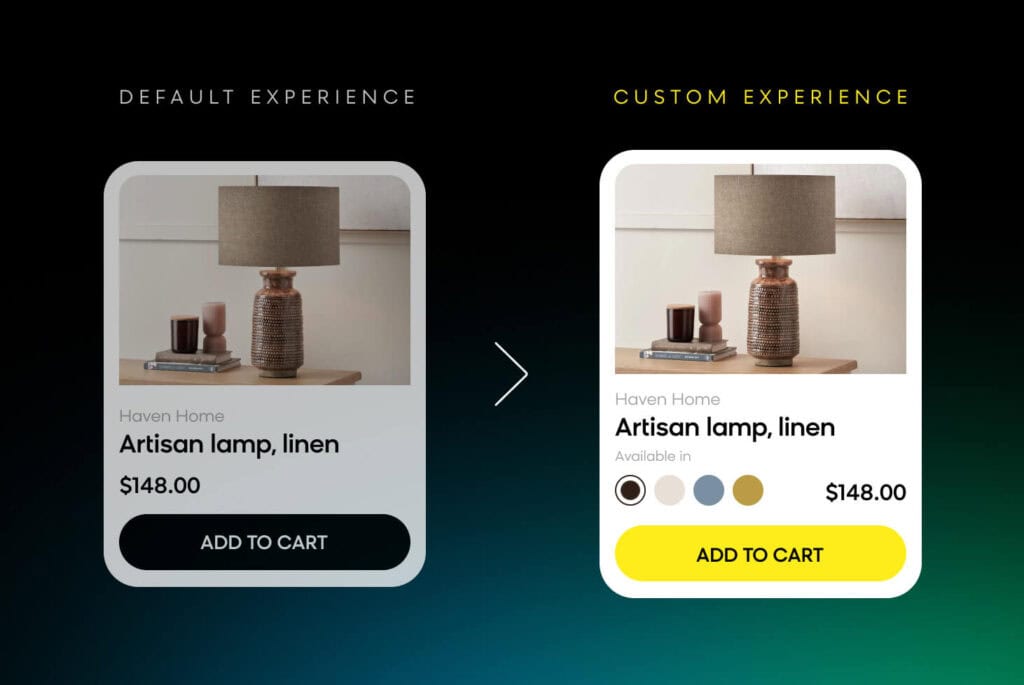
Using EJS conditionals and loops, merchants can iterate over variant metafields, render swatches directly in the template, and add hover-state image logic without needing a separate implementation path.
Add Quick-View Buttons and Variant Availability
An electronics retailer can reduce friction in product discovery by adding quick-view buttons and in-stock variant messaging to product cards, so shoppers can check key details faster without leaving the results page.
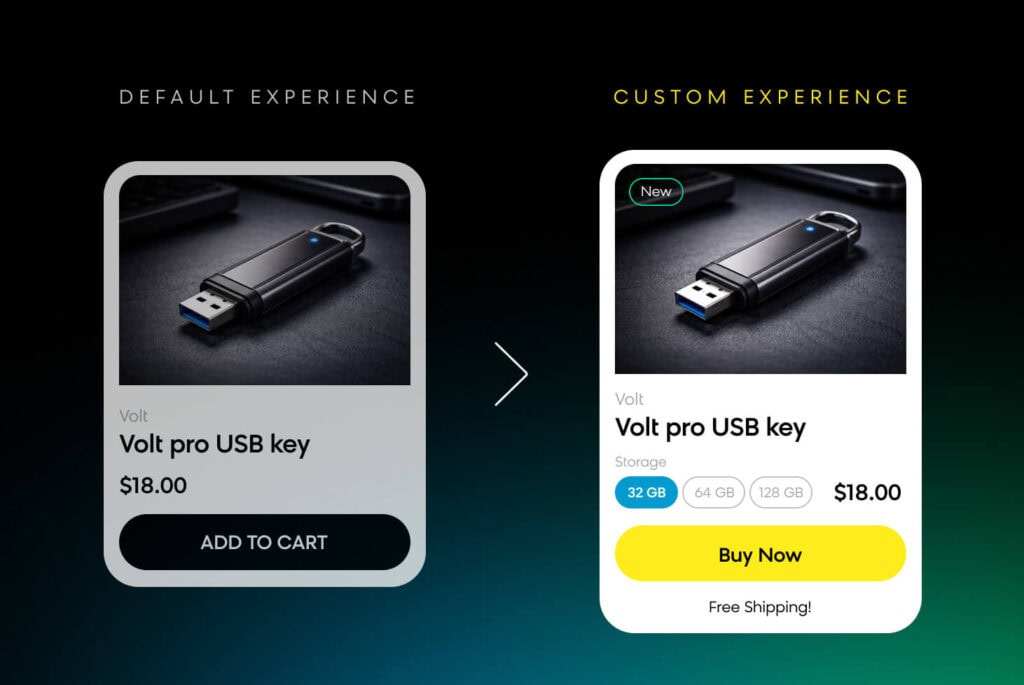
With Experience Customization, merchants can add the quick-view trigger element to the template and use conditional logic to display stock status — all without changing the underlying connector implementation.
Match Search Results to an Existing Brand Aesthetic
Shopify brands migrating from a legacy search provider to Loomi search can preserve a seamless brand experience by matching search results to the rest of the storefront, so shoppers never feel like they’ve landed in a disconnected experience.
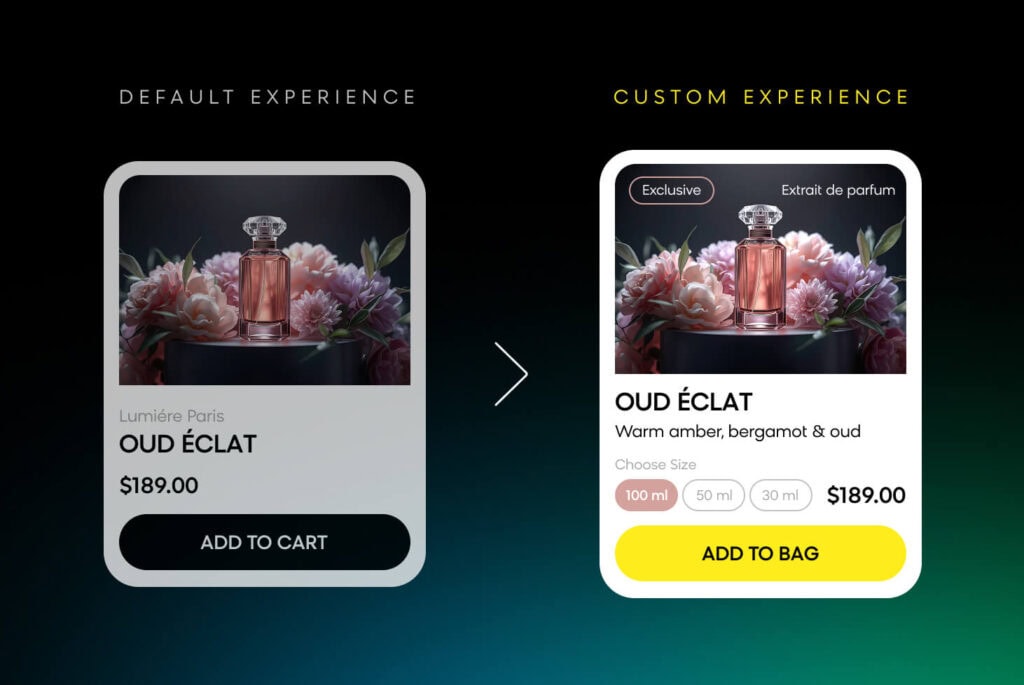
Merchants can recreate their brand aesthetic in HTML+EJS, validate it with built-in linting, and publish it directly through the Loomi for Shopify app. The result is a seamless transition that preserves brand consistency for shoppers.
Loomi for Shopify Gives Merchants More Control Over the Storefront Experience
Experience Customization gives Shopify merchants a faster, safer, and more flexible way to shape how products appear across the storefront. What used to take weeks now takes hours, which means merchants can spend less time waiting and more time driving revenue.
Visit our site to learn more about Bloomreach and Shopify’s partnership and how Loomi for Shopify can help you power intelligent, personalized experiences at scale.